Friday, November 7, 2014

Focus on Relevance > Hope Meaning & Content Survey

Captionless image

Access Prior Knowledge:


Instructional Strategy

  • Cues and Questions

Learning Activity


Setting Objectives > Hope Vignette Essential Questions


Instructional Strategy

  • Setting Objectives

Learning Activities


Create > Space Silhouettes

Create > Space Silhouettes 

  1. Go to > https://pixlr.com/ 
  2. Click > login
  3. Click > more providers
  4. Click > login with Google+ (Accept)
  5. Scroll down > Launch > Pixlr Express
    (notice there is a web app)


http://apps.pixlr.com/express/

July 03, 2014 15:13 > 
From >https://support.pixlr.com/hc/en-us/articles/202745740-Recipe-space-silhouettes


Of the many options in Pixlr Express that let you add all kinds of neat effects to your photos, the space overlays are some of the most popular. You can lay on the cosmic feeling thick or dial it down to give just a hint of stars and constellations. One of our favorite ways to use the space overlays are in conjunction with a silhouette or near silhouette to make what looks like a work of art. It's easy to do, and we're going to show you how to whip this up in Pixlr Express.

Step 1: Take a good silhouette photo

You can do this by taking a photo of something that's strongly backlit. If you use a camera, you can play with your exposure settings. If you're using an iPhone, you can press on one area of the screen, and your iPhone will set the exposure based on where you placed your finger. Hold down for two seconds, and the exposure will lock. Very useful. Other devices may have similar options, but the basic rule here: The more of a contrast you can get between your whitest white and your blackest black, the better. We started with a photo we took at a wedding on the beach of a wedding-goer watching the sun set.


Step 2: Edit the contrast, hue, vibrance, saturation

If you don't have a strong silhouette, you may want to bump up the contrast of your photo with the contrast tool. We did 100%. Your photo inevitably has some color in it, and you might want to play with this color. For example, you'll probably want to bump up the vibrance and saturation. We definitely recommend that. Then, you might even want to change the hue to give this photo an even more otherworldly look. A purple sky looks pretty cool, so consider changing the hue.

Another thing to think about here is what's in the background of your image. If the white or positive space is just plain white, some texture will make your space effects stand out better. Consider adding a bokeh effect. These work great in conjunction with space overlays, and you can control the amount of bokeh by dialing it down if you only want to suggest these lens-flare-like effects. Here, we chose a strong bokeh effect, "citrus."


Step 3: Add your space effects

Then, start adding your space overlays. There are 40 different space overlays in the app, with a balance of light and dark options that will work better with different types of backgrounds. You can add multiple space overlays, although too many may darken your image too much. Not sure which space overlays are the best for your image? Use the randomizer. It will quickly cycle through the options and save you time. Some of the "stars" won't show up in your black zone with some of the overlays, some will. Experiment to get the ones you like. Also, you can rotate the overlays and control the intensity, which is very handy in placing constellations of stars in the perfect location. We added three or four in different intensity, including "Ascella" and the very pretty "Enif" overlay.


Finish with a good frame or texture


Those are the basics of space silhouettes, but we like to finish up with a canvas effect to make our image look even more like a work of art. Some of our favorite canvas effects are "weave" and "paper." We added a 31% weave overlay, lightened the image a tiny bit, and then topped it off with a black-and-white border that works well with the silhouette of the image.


Wednesday, November 5, 2014

Watch > What if money were no object?


British philosopher and writer Alan Watts (1915-1973), author of the cult-classic The Way of Zen, played a key role in popularizing Eastern philosophy in the West, like John Cage had done, in the middle of the 20th century. In this short remix video, a fine complement to this omnibus of wisdom on how to find your purpose and do what you love, Watts asks the seemingly simple question of what you would do if money were no object:


New Information

Instructional Strategy

  • Questions & Cues
Learning Activity
  • Highlight & Deepen Understanding
In the comment section below respond to the following
  1. What was the highlight (or main point or your biggest takeaway) of the video?  
  2. What essential new understanding from the video would you share with your friends?
  3. What would you do if money was no object?

Interest Silhouette Event

Interest Silhouette Event
Add drama to your explorations

1 INTEREST SILHOUETTE GOAL SCORECARD > HTTP://GOO.GL/MQ2C9D


1 INTEREST SILHOUETTE PHOTO CHALLENGES > HTTP://GOO.GL/3YJMSW


1 INTEREST SILHOUETTE GANAG > HTTP://GOO.GL/UFMGF4

Digital Photography
A photography course that will increase your positivity through photographic technologies. 

Watch > How to Make Stress Your Friend


Stress. It makes your heart pound, your breathing quicken and your forehead sweat. But while stress has been made into a public health enemy, new research suggests that stress may only be bad for you if you believe that to be the case. Psychologist Kelly McGonigal urges us to see stress as a positive, and introduces us to an unsung mechanism for stress reduction: reaching out to others.


New Information

Instructional Strategy

  • Questions & Cues
Learning Activity
  • Highlight & Deepen Understanding
In the comment section below respond to the following
  1. What was the highlight (or main point or your biggest takeaway) of the video?  
  2. What essential new understanding from the video would you share with your friends?

Watch > How Meditation Can Reshape Our Brains


Neuroscientist Sara Lazar's amazing brain scans show meditation can actually change the size of key regions of our brain, improving our memory and making us more empathetic, compassionate, and resilient under stress.


New Information

Instructional Strategy

  • Questions & Cues
Learning Activity
  • Highlight & Deepen Understanding

In the comment section below respond to the following

  1. What was the highlight (or main point or your biggest takeaway) of the video?  
  2. What essential new understanding from the video would you share with your friends?

Watch > All it takes is 10 Mindful Minutes


When is the last time you did absolutely nothing for 10 whole minutes? Not texting, talking or even thinking? Mindfulness expert Andy Puddicombe describes the transformative power of doing just that: Refreshing your mind for 10 minutes a day, simply by being mindful and experiencing the present moment. (No need for incense or sitting in strange positions.)


New Information

Instructional Strategy
  • Questions & Cues
Learning Activity

  • Highlight & Deepen Understanding

In the comment section below respond to the following
  1. What was the highlight (or main point or your biggest takeaway) of the video?  
  2. What essential new understanding from the video would you share with your friends?

Hypothesize > Serenity - Reflection Connection Dialogue


Access Prior Knowledge:


Instructional Strategy

  • Cooperative Learning

Learning Activity


  • Hypothesize
  1. In the comment section below, hypothesize why the positive emotion 'Serenity' has been paired with the photographic technique 'Reflection'.
  2. +1 peer comments you believe are the strongest responses.  

Hypothesize > Gratitude - Shape Connection Dialogue


Access Prior Knowledge:

Instructional Strategy

  • Cooperative Learning

Learning Activity

  • Hypothesize
  1. In the comment section below, hypothesize why the positive emotion 'Gratitude' has been paired with the photographic technique 'Shape'.
  2. +1 peer comments you believe are the strongest responses.  

Personalize Goals > Interest Essential Questions


Instructional Strategy


  • Setting Objectives

Learning Activity


Tuesday, November 4, 2014

Ways To Develop Your Passions


One Moment Every Day - Cesar Kuriyama

One Moment Every Day


Step 1.
Answer in the comment section below
1- How do you remember things? 
(Do you... journal, keep a diary, scrap-book, status update...etc...)


Step 2.
Watch the video


Step 3.
Respond in the comment section
2- Why did he do this?
3- What were the unintended consequences of doing this?

Step 4.
Create > an image a day for 1 week (7 images total)

Step 5.
Post > with a caption (what day or date) and a brief explanation


Bonus:
You may appreciate the following video and seek ways to incorporate the idea into your life.
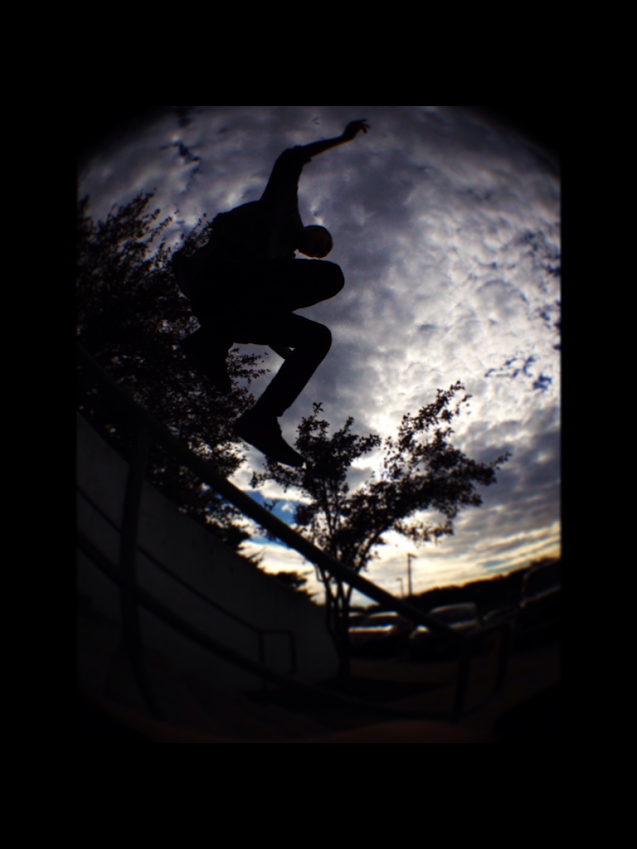


Interest Silhouette GANAG > http://goo.gl/UFMgF4

Interest Silhouette - Goal Scorecard


1. Log Progress > Interest Silhouette Goal Scorecard > http://goo.gl/yrV10b

2. Go to > File > Make a Copy


3. Rename it with your last name at the end (Interest Silhouette - Goal Scorecard - Kuepper)


4.  Keep track of the learning activities as we complete the Interest Album


5. Create > Take 5 pre-instruction silhouette photos 


6. Upload > Your images to a new G+ photo album titled Interest Silhouette


Interest Silhouette GANAG > http://goo.gl/UFMgF4


Monday, November 3, 2014

Generalize, Reflect & Publish - Serenity Reflection Album


Generalize, Reflect & Publish

Instructional Strategy

  • Providing Recognition

Learning Activity


Instructional Strategy

  • Providing Feedback

Learning Activity