Tuesday, March 4, 2014

AP Studio Art - Submitting Your Portfolio

About Digital Submission

The AP Studio Art Exam consists of two components:
  1. Digital images and commentary submitted to AP via the Digital Submission Web application 
  2. Physical portfolios: the Quality section (five actual artworks) for Drawing and 2-D Design portfolios, assembled and mailed to the AP Program 
  • Note: The 3-D Design portfolio has no physical component and is submitted entirely online. 
  • For more information about the digital submission process, view the Web demo.
  • For the HELP page about digital submission, click here > http://goo.gl/C0KFFx
Timeline for Students

Before January 
  • Capture digital images of your artworks that adhere to the image recommendations and requirements outlined at the bottom of this page. 
January and February
  • Log in to the Digital Submission Web Application as soon your teacher — or AP Coordinator, if you are home-schooled — provides access information. Check with your teacher or Coordinator if you haven't received this information by early February. (View this demo for more information about accessing the application.) 
  • Make sure that you have selected the correct type of portfolio (i.e., 2-D Design, 3-D Design, or Drawing). Selecting the correct portfolio type is very important, as it affects how the portfolio is scored. 
  • Begin uploading images as soon as possible after accessing the application, so that both you and your teacher can monitor the development of your portfolio. You can always delete, add or rearrange images later. 
March and April 
  • Continue to work with your teacher on your portfolio. 
  • Confirm the deadline for you to submit your final digital portfolio to your teacher (or AP Coordinator). If you are submitting a 2-D Design or Drawing portfolio, confirm the date for assembly of the Quality section with your teacher or AP Coordinator. 
  • The AP Coordinator should provide you with information from your AP Student Pack (your AP number and a list of college codes) by sometime in April. You will need this information before you can forward your digital portfolio to your teacher. 
  • Submit your finalized digital portfolio to your teacher or AP Coordinator by his or her established deadline. 
  • After you forward your portfolios to your teacher or AP Coordinator, sign back in to the Web application occasionally to view your portfolio's status and to ensure that your Coordinator forwards your portfolios to the AP Program by 8 p.m. EDT on May 9, 2014.Only Coordinators can take this final step, and only portfolios that have a "Sent to AP" status at the time of this deadline will be received by the AP Program and scored. 
May 
  • Your teacher will forward your completed digital portfolio to the AP Coordinator before May 9. 
  • Your AP Coordinator will forward your digital portfolio to the AP Program, using the Web application, by 8 p.m. EDT on May 9. 
  • On or before May 9, your teacher or Coordinator will gather 2-D Design and Drawing students for the assembly of the Quality section (the physical portfolio component). 
Technical Requirements and Recommendations

You and your teacher must have access to a digital camera and a computer with an Internet connection in order to submit the digital sections of your portfolio. If you will be accessing the Web application from a computer outside your school, please note the required browsers listed below. You aren't restricted to specific hardware configurations, though you may experience slower response times when using older computer hardware.
Software Requirements

Web Browser (one of the following):
  • Microsoft Internet Explorer 7.0 and 8.0 
  • Firefox 3.6 
  • Safari 5.0 or below 
Requirements and Recommendations for Digital Images

All images must be submitted in JPEG format (file name extension .jpg) and RGB color mode. We recommend uploading files that are 72 pixels-per-inch (ppi) because a higher resolution does not add clarity when viewing images on a computer screen. We recommend that you keep copies of your original images.

Image size: The image sizes below are recommendations. Your image sizes may be different.

Landscape orientation:
  • Recommended maximum size: 530 x 780 pixels (7.36 x 10.83 inches) 
  • Recommended minimum size: 480 x 480 pixels (6.67 x 6.67 inches) 
Portrait orientation:
  • Recommended maximum size: 780 x 530 pixels (10.83 x 7.36 inches) 
  • Recommended minimum size: 480 x 480 pixels (6.67 x 6.67 inches) 
Maximum file size: 3.0 MB per image. (Your image files will likely be considerably smaller than 3.0 MB.)
Free disk space:
  • Drawing and 2-D Design Portfolio: Based on the maximum file size of 3.0 MB and a total of 24 digital images per portfolio, you'll need a maximum of 72 MB of free disk space per portfolio. 
  • 3-D Design Portfolio: Based on the maximum file size of 3.0 MB and a total of 38 digital images, you'll need a maximum of 114 MB of free disk space. 

Getting Started > Student


Here you'll learn how to:
  • Set up your access to the Web application
  • Upload and arrange images of your artworks
  • Enter your Concentration statement
  • Complete your registration information
  • Send your digital portfolio to your teacher for review
2–D Design and Drawing students: This demo does not provide instructions for the physical assembly of Section I: Quality. You will be working with your teacher and AP Coordinator on this in the spring. More information about the physical portfolio component of 2–D Design and Drawing Portfolios is available in the Studio Art poster, which you should receive from your teacher in the fall.


Before you can access the AP Studio Art Digital Submission Web application, your AP Studio Art teacher will need to pass two pieces of access information on to you:
  • School Code > 502040
  • Teacher Key > tzx2601
You should expect to receive this access information from your teacher by early to mid-February. As soon as possible after you receive this information, go to the sign-in page at http://apstudio.ets.org (shown below) and click Set up your access now. Click Student on the following screen to indicate your role.Getting Started

Monday, March 3, 2014

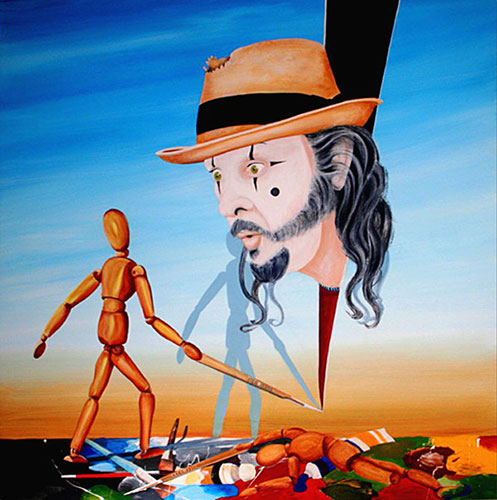
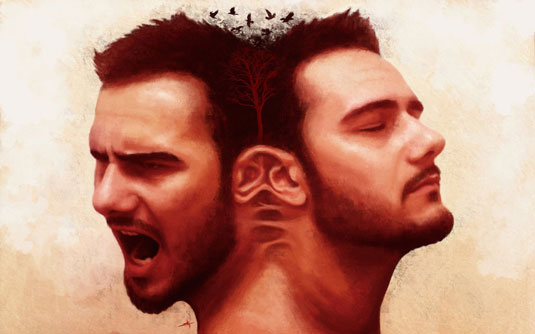
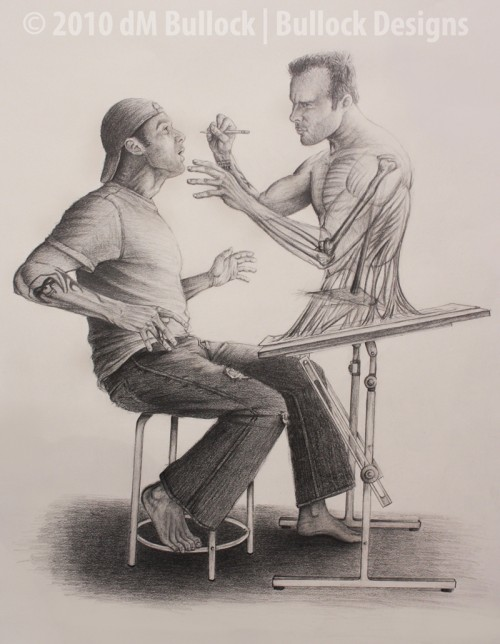
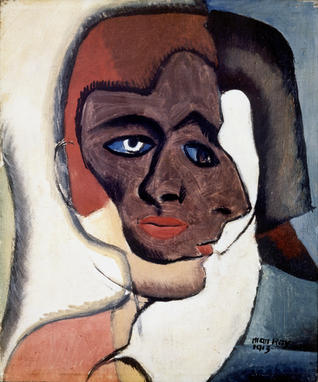
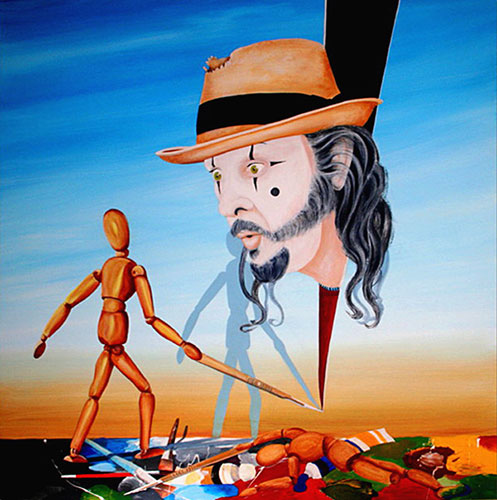
Empathy Analogs - Dual Portrait

http://www.martingallagher.com.au/portraits/images/the-dual-self-portait.jpg


Dual Portrait


Concept:
  • A double portrait can simultaneously signify two sides of your personality


Catalysts:
  • Analogize, Transfer, Mythologize, Fantasize, Symbolize


Studio Challenge:
  1. Create a biographical self portrait composed of two portrait images which depict two sides of your personality.
  2. Let one portrait depict the ‘outside you,’ the one people see.
  3. Create the other portrait as another ‘you,’ a secret personality or fantasy role model.  
  4. Make the double portrait insightful, therapeutic, humorous or surreal.


Possibilities include:
  • Juxtapose your portrait with a historical personality or mythological hero.
  • Make two identical portraits but transform one with shapes or colors that signify a different psychological state.  
  • Research details regarding your horoscope and transfer that information symbolically.  
  • Consider what your ‘animal spirit’ is and visually portray it alongside your face.
  • Other ideas - photos of a piano or sheet music, your room, a volleyball, your camera, a lone bench in the middle of the park, a rock outcropping, a tree in a pasture, a lego...

In the Comment Section respond to at least one of the following prompts.
  • - What hobbies do you have?  
  • - What items or objects do you collect?
  • - What events in your life have had a profound effect on you?
  • - To what things in your life do you feel a special connection?


Thursday, February 20, 2014

Empathy Analogs - Imagine You're a ...


Studio:
  • Imagine You’re a _______________

Concept:
  • Developing skills of imagination and empathic projection.  

Challenge:
  1. Read Teaching Empathy http://goo.gl/iI9ogr 
  2. Find a random generator online.
  3. Spin the random generator to fill in the blank below.
  4. Fill in the blank: Imagine you’re a ________________________.
  5. Draw what you are imagining in the middle of a sheet of paper.
  6. Add speech bubbles all around the drawing in the middle.
  7. Empathize with the object you are imagining.
  8. Imagine what you would think and say as that object.
  9. Fill the speech bubbles with comments and thoughts.


Empathy Analogs - Situations & Similitudes


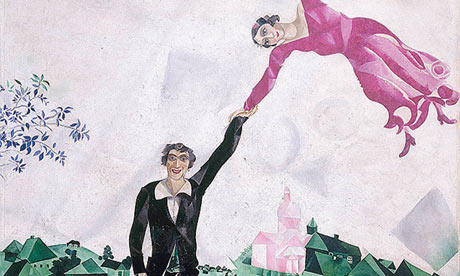
Marc Chagall The Promenade 
-http://static.guim.co.uk/sys-images/Guardian/Pix/pictures/2013/5/22/1369241024463/Marc-Chagalls-The-Promena-010.jpg
Empathy analogs are emotional surrogates.  Personal feelings are projected to or elicited from a stimulus object or idea.  The artist constructs a visual analog of that transfer.  Marc Chagall, for example, depicts the 'euphoria of love' by depicting young lovers as rubbery figures in a  brightly colored, gravity-free environment.  Empathy analogs are based on psychological, subjective resemblances and not on objective recreations.
Marc Chagall Over the Town
 - http://artmodel.files.wordpress.com/2009/05/chagall_abovethetown.jpg
Complete the Following Survey Activity

Activity:
Situations and Similitudes:

Concept:
Developing imagination in perceiving relationships between dissimilarities

Challenge:
Respond to each situation with a creative, descriptive 'stretched' similarity. 
Complete the survey below >  http://goo.gl/DLgtxG
View the responses below > http://goo.gl/UYko6N


Wednesday, February 19, 2014

Illustration Critical Thinking Image Analysis -


http://www.edward-lear.com/Dover.htm 
Challenge:

Analyze an illustration by artist, illustrator, author and humorist Edward Lear

  1. Go to Edward Lear's nonsense Index > http://www.edward-lear.com/contentlist.htm
  2. Choose a limerick and copy the URL or save image as to your desktop.
  3. Go to Thinglink >  www.thinglink.com
  4. Upload or use the URL to open the limerick illustration in Thinglink.
  5. Add tags that answer the following prompts.
  6. Share the completed Thinglink to Westosha Illustration Community > http://goo.gl/xLjJDP .


Visuals:
  1. Tag objects that are symbols and interpret what you think the symbol means.
  2. Tag objects or physical features that are exaggerated and interpret what this achieves.
  3. Tag the illustration’s caption and/or title.
  4. Tag any dates or numbers and interpret why they are important.
  5. Tag words or phrases that label and interpret how they clarify meaning or significance.
Action:
  1. Tag the action taking place in the illustration.
  2. Tag any use of line that suggests expression, action or movement.
Meaning:
  1. Tag what event or idea the illustration is referring to.
  2. Tag details in the illustration that provide clues of the artist’s opinion.
  3. Tag groups or individuals represented and if they agree or disagree with the message.
Analogy:

  1. Include a YouTube video that is an analogy of the illustration’s meaning.


Anthropomorphism

Gustave Courbet: The Desperate Man c.1843–1845http://www.finearttips.com/wp-content/uploads/2013/12/
Portrait-Face-Painting-Courbert-self-portrait.jpg
Anthropomorphism

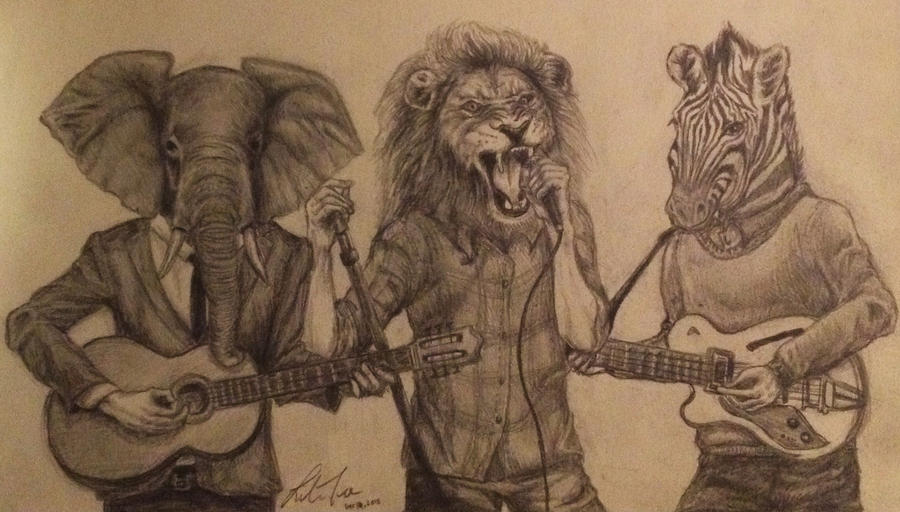
Concept:  Imbuing animals, plants, or objects with human qualities.


Catalysts:  Analogy, Transfer, Fantasize, Metaphor.


Studio1:  
In the medium of your choice, create a fully developed self portrait.
  • Emphasize dynamic composition using foreshortening or interesting perspectives.
  • Take multiple 'selfies' and we'll chose one.
  • Use contrast and value ranges to enhance drama and meaning.

http://farm4.staticflickr.com/3530/3801117805_a4aacf3406_o.jpg
http://www.conceptart.org/forums/attachment.php%3Fattachmentid
%3D1076699%26stc%3D1%26d%3D1286316709
Studio 2:
In the medium of your choice, create a fully developed still life image.
  • Define your inner personality with an animal, plant, or object.  
  • Research your horoscope, zodiac sign and Chinese year you were born.
  • Use accurate rendering techniques to portray an animal, plant or object.
  • Again emphasize dynamic composition, drama and meaning.

http://fc06.deviantart.net/fs71/i/2011/074/c/5/tiger_by_simone93-d3bp8b9.jpg
http://farm8.staticflickr.com/7311/8720668874_b06086c127_o.jpg 
Studio 3:
In the medium of your choice, create an anthropomorphic self portrait.

  • Compositional ideas include:
    • Create a playing card
    • Create a scene from a graphic novel or movie trailer
    • Create a ‘disney’ like cartoon

http://fc03.deviantart.net/fs70/i/2013/007/2/9/my_head_is_an_animal_by_liliannet-d5qr345.jpg

http://4.bp.blogspot.com/_9Z6WLg6fsxM/TPruOPI6D7I/
AAAAAAAAHO0/F9A2RVGxaoA/s1600/character%2Bkung%2Bfu%2Bpanda.jpg
http://3.bp.blogspot.com/_Hbcn71xGQz0/TEP9MD7FEmI/
AAAAAAAAANA/lv_IFvMqWh8/s1600/Panda%2BExpression%2BSheet.jpg

Tuesday, February 18, 2014

Formative Online Critiques

Formative Assessment is used to adjust teaching and learning while they are still happening.
The process provides feedback while the student is working.
  • It checks for understanding.
  • It guides decision making.
  • It collects evidence of the learning process.
Here is our Formative Online Critique >  http://goo.gl/sxkonN 
  1. Open the critique doc
  2. Go to File > Make a Copy and insert your name
  3. Make the doc public
  4. Paste a link to the doc in your Google+ Album Description


*Based on The Art of the Online Critique in Learning & Leading by Tiffany Roman and Matthew Callison

Friday, February 14, 2014

Westosha's 20% Project Proposals


Hey Teacher - Ask yourself >

  1. Am I offering students any autonomy over how and when to do this work?
  2. Does this assignment promote mastery by offering a novel, engaging task (as opposed to rote reformulation of something already covered in class)?
  3. Do my students understand the purpose of this assignment? That is, can they see how doing this additional activity contributes to the larger enterprise in which the class is engaged?


Drawing on four decades of scientific research on human motivation, Pink exposes the mismatch between what science knows and what business does—and how that affects every aspect of life. He demonstrates that while carrots and sticks worked successfully in the twentieth century, that’s precisely the wrong way to motivate people for today’s challenges.

When it comes to motivation, there’s a gap between what science knows and what business does. Our current business operation system – which is built around external, carrot-and-stick motivators – doesn’t work and often does harm. We need an upgrade. And the science shows the way. This new approach has three essential elements:
(1) Autonomy – the desire to direct our own lives;
(2) Mastery – the urge to get better and better at something that masters; and
(3) Purpose – the yearning to do what we do in the service of something larger than ourselves.
  1. Complete this proposal form with your group. > http://goo.gl/xxG7ov 
  2. Paste the URL to that form in the comment section of this post.
  3. Take a moment and watch Pink explain his findings about what really motivates us!

thanks +Kevin Brookhouser for letting me see how it's done!

Thursday, February 13, 2014

Make Time for Valentine's Day

Use Valentine's Day as an excuse celebrate the positive emotions that encompass LOVE.
1. Make a Valentine's Day Image or Card using the Sweethearts Theme in PicMonkey > http://www.picmonkey.com/ 
2. Look at the Posts below for inspiration and ideas

   
Robert Indiana - LOVE


The Power of Positive Thinking

We learned a lot developing our Positivity Portfolios - add this to it.

Plus: For those of you doing the Grumpy Cat Meme, this will help explain some of the underlying concepts.


Tuesday, February 11, 2014

Friday, February 7, 2014

Growth Mindset -vs- Fixed Mindset

Growth Mindset -vs- Fixed Mindset
We spoke about this often.  It is essential that you understand that a mindset is only an opinion or an attitude and not a fact.  A mindset can change.  Understand that Everyone has a Growth Mind but not everyone has a Growth Mindset.  Nobody has a Fixed Mind but some have a Fixed Mindset.

Create a Growth Mindset and your Growth Mind thrives!!!


Developing a Growth Mindset
Interview with Dr. Carol Dweck > http://goo.gl/7j711r

Growth Mindset = Grit > http://goo.gl/SYv7uq


Wednesday, February 5, 2014

Know ‘My’ Meme - Student Lead Studio Project


Challenge:


  • Know ‘My’ Meme - Student Lead Project


Goals:


  • Have your classmates demonstrate knowledge and understanding by being able to create a remix meme containing the essential elements of the presented meme.
  • Teach and instruct a meme project to the class that incorporates humor and wit along with an involved digital manipulation technique.


Remember, Understand & Apply:


  • Present background information on the meme.
  • Explore http://knowyourmeme.com/ - Internet Meme Database.  Know Your Meme is a website dedicated to documenting Internet phenomena: viral videos, image macros, catchphrases, web celebs and more.
  • Present a tutorial on the image manipulation techniques involved in creating your meme.


Analyzing & Evaluating:


  • Present a Thinglink > https://www.thinglink.com/ image analysis of your meme.
  • Tag - About Information
  • Tag - Origin Information
  • Tag - Spread Information
  • Tag - Notable Examples or Recent Images
  • Tag - External References
  • Tag - Essential Visual Design Elements
  • Tag - Image Manipulation Techniques

Creating:


  • Create a Re-mix of the meme using your own images that incorporate the digital manipulation techniques.
  • Publish your meme to our G+ Community Westosha Photo > http://goo.gl/34X4wo and our Know Your MEME Event > http://goo.gl/oju8Ak