Wednesday, October 29, 2014

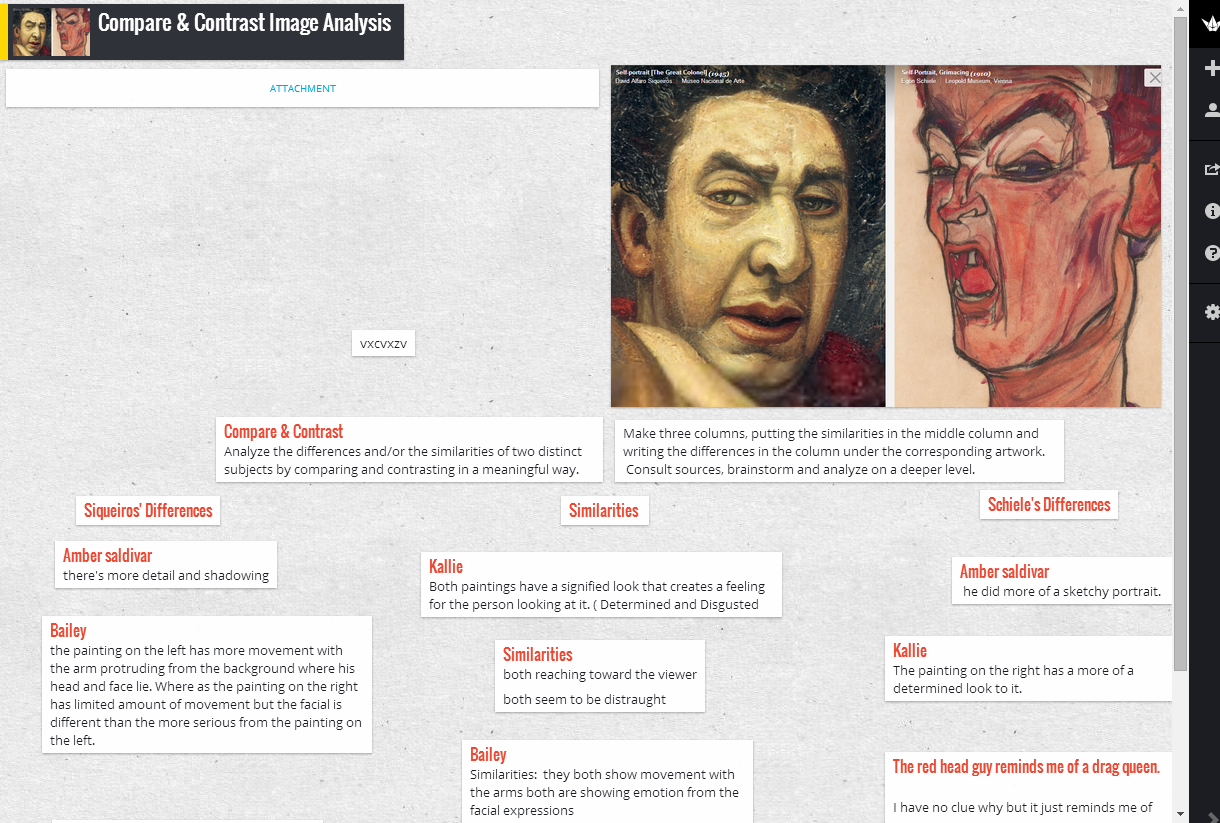
Compare Pre-instruction and Post-instruction images: Padlet

save image

Generalize, Publish & Reflect:

Instructional Strategy

  • Identify similarities and differences

Learning Activity

  • Compare > Padlet reflection on pre and post instruction images >

    1. Log in with your Google account.
    2. Double click and add the URL of one pre-instruction image.
    3. Double click and add the URL of one post-instruction Photo Challenge image.
    4. On the left make a list of comparisons (similarities).
    5. On the right make a list of contrasts (differences).
    6. In the middle make a list of reflections explaining your improvements.
    7. In the comment section below > Share the Padlet URL to our Photo Community > http://goo.gl/34X4wo   

Tuesday, October 28, 2014

Goal Analysis > Structure

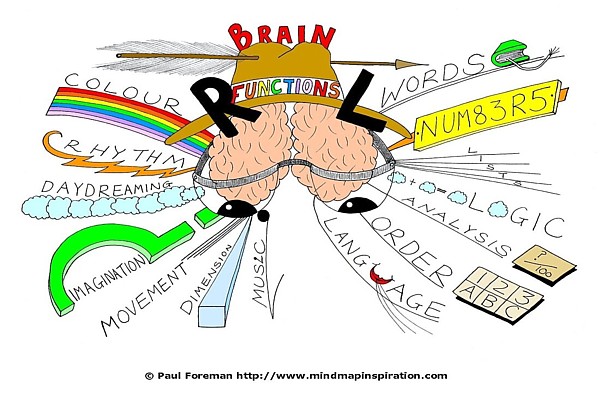
brain functions mind map paul foreman Brain Functions
Structure Goal Concept:


Designing is creating conceptual and visual unity by giving order to diverse but interrelated and interdependent parts.  


Access Prior Knowledge:

“The elements of structure are the minute individual parts of forms, and therefore unable to stand up by themselves; they are of value only as part of the structure-forming arrangement and as they contribute to the total structural identity.  Structure is a dynamic texture of non-autonomous parts.” ~ Reinhold Pfenning

In groups, in the comment section, respond to...

Group 1: Define 'giving order to'
Group 2: What does diverse but interrelated and interdependent mean?
Group 3: Explain 'contribute to the total structural identity.'
Group 4: Hypothosize the meaning of 'Structure is a dynamic texture of non-autonomous parts.'

As an individual, in the comment section, respond to...

Analyze and interpret how Reinhold Pfenning's quotation reiterates, in other words, restates the Goal Concept. (Both are saying relatively the same thing - what or how.)


Planning Your Concentration Portfolio


http://www.indyish.com/wp-content/uploads/2009/11/IaGo_J001ArtdepMindmap.jpg

Planning Your Concentration Worksheet > http://goo.gl/GSts9l
The prompts at the bottom are huge for your thought processes.
Print it as many times as needed as you develop your concentration pieces.


Planning Your Portfolio Worksheet > http://goo.gl/XhZpi2

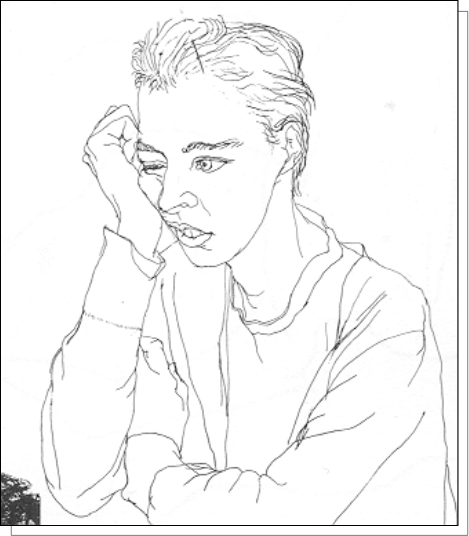
Contour Line - Ingredients used by the Artist

Contour Line Figure Drawing

Studio Challenge:


Contour Line Figure Drawing

Concept: Contour lines follow the edges of shapes and clearly define the various volumes and parts of the whole form.
Catalysts: Describe, Record

Studio:
-Fold 2 papers to make eight (8) sections.
-Draw a boarder near the edge of each section.
-Arrange a person in a dynamic posture.
-Develop an understanding based on touch.
-Remember the ‘blind contour’ drawing of your hand.
-Keeping your eye on the figure, start with any edge, and follow the contours of the figure with a continuous, contour line.
-Try not to lift your pencil off the paper.

-Try to feel that you are not just looking at but are also touching the figure with your moving pencil.


ADV Painting - Generalize, Publish and Reflect

Generalize, Publish and Reflect:


“The relative degree of similarity in a given perceptual pattern makes for a corresponding degree of connection or fusion.” ~Rudolph Arnheim


Instructional Strategy

  • Providing Recognition

Learning Activity

  • Promote >

Step 1
Step 2
Step 3
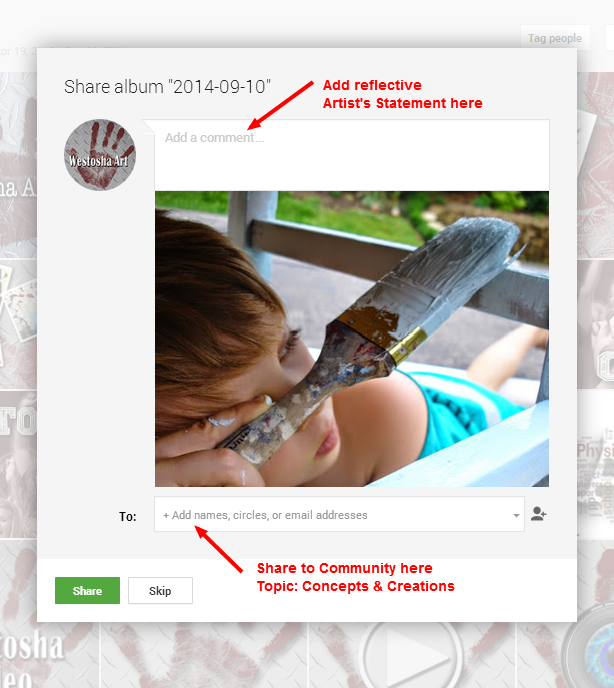
    • Publish > Share your artwork to our Community
Step 4


Instructional Strategy

  • Providing feedback

Learning Activity

  • Critique >
Step 5
    • Give peer feedback > Leave comments on images (did it meet the goal?)
    • Give positive feedback > +1 every image that deserves it
  • Self-assess >
Step 6
Step 7

Reflection Tutorial - Pixlr

Creating a reflection using Pixlr.


Step one: Open an image or add text to blank canvas

Step two: Duplicate the image layer or text layer 
if its a text layer you must rasterize the duplicated layer

Step three: Flip the duplicate layer vertically

Step four: Lower the opacity of the duplicated layer and drag it to wherever you want it

Step five: Using a soft eraser, wipe away the parts of the reflection you don't want. I used a brush with a diameter of 200 and a hardness of 50. I would stick with any brush that has a hardness of less than fifty and a diameter of 100 or up


Monday, October 27, 2014

Generalize, Publish and Reflect: Concentration Critique

Generalize, Publish and Reflect:


Instructional Strategy

  • Providing Recognition

Learning Activity


How to create an Artist’s Statement for your artwork.  


Writing prompts for your artist statement.
  • Clearly state the central idea of the concentration.
  • Integration of my concentration idea and my work is demonstrated by…
  • My works relate to each other by…
  • Investigation, discovery , and decision making are seen in…
  • Transformation and growth are demonstrated by…
  • My skills using media and materials are displayed in…
  • Originality and innovation are shown in…
  • My documentation of references and resources can be found in…
  • I transformed any appropriated imagery by...


Instructional Strategy

  • Providing feedback

Learning Activity


Friday, October 24, 2014

Hypothesize Joy Close Up Connection

Access Prior Knowledge:

Instructional Strategy

  • Cooperative Learning

Learning Activity

  • Hypothesize
  1. In the comment section below, hypothesize why the positive emotion 'Joy' has been paired with the photographic technique 'Close Up'.
  2. +1 peer comments you believe are the strongest responses.  


Padlet Reflection > Pre and Post Instruction Images

Generalize, Publish & Reflect:


Instructional Strategy


  • Identify similarities and differences


Learning Activity


  • Compare > Padlet reflection on pre and post instruction images >


    1. Log in with your Google account.
    2. Double click and add the URL of one pre-instruction image.
    3. Double click and add the URL of one post-instruction Photo Challenge image.
    4. On the left make a list of comparisons (similarities).
    5. On the right make a list of contrasts (differences).
    6. In the middle make a list of reflections explaining your improvements.
    7. In the comment section below > Share the Padlet URL to our Photo Community > http://goo.gl/34X4wo   
Notes

save image